
Accessibility and Safety
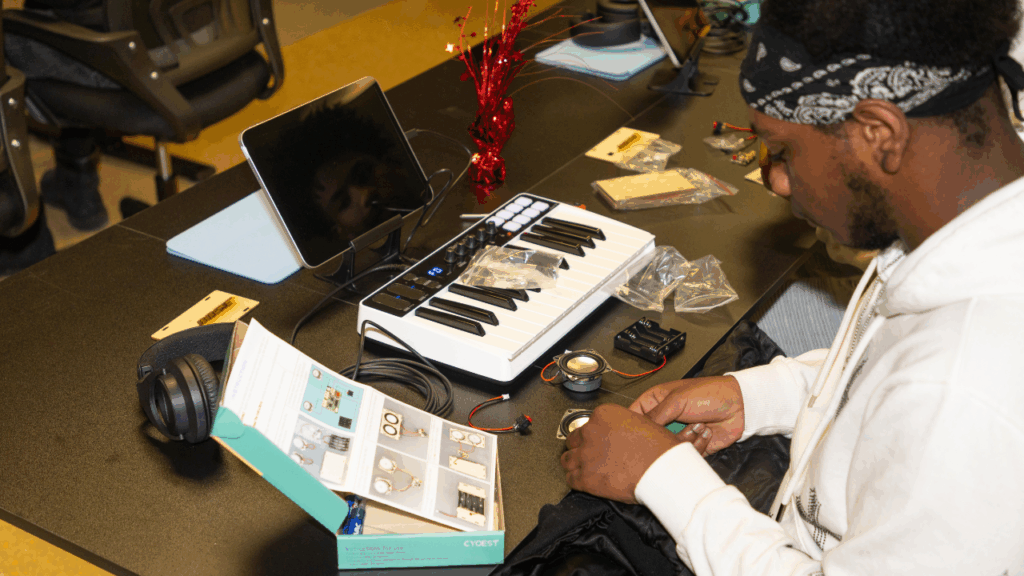
Music technology should be a tool that opens doors for every student, not just those who can use standard equipment easily. Many students with physical, visual, hearing, or cognitive differences can fully participate in music production and performance with the right adaptations, often at little to no additional cost.
Adaptive Instruments and Controllers
Traditional MIDI keyboards and instruments assume a certain range of fine motor control. Adaptive alternatives include large-surface pad controllers (like the Akai MPC-style pads already in many rigs, which can be easier to play than a piano-style keyboard for some students), switch-accessible instruments that trigger sound with a single press, and breath-controlled or eye-gaze MIDI controllers for students with limited limb mobility. Even reassigning velocity sensitivity or note range on existing gear can make a controller more usable without buying anything new.
Software Accessibility
Look for digital audio workstations (DAWs) with built-in screen reader compatibility for students with visual impairments. This varies significantly by software, so it’s worth testing with your school’s assistive technology before committing a student to a workflow. Larger user interface (UI) scaling, high-contrast modes, and keyboard-navigable menus (rather than mouse-only workflows) all reduce barriers for students with visual or motor differences.
Deaf and Hard-of-Hearing Students
Music technology isn’t limited to students who can hear in a traditional sense. Visual waveform displays, haptic feedback devices (which let students feel rhythm and bass through vibration), and DAWs’ built-in visual metronomes and level meters all allow deaf and hard-of-hearing students to engage with rhythm, dynamics, and mixing. Composition and MIDI sequencing, which are inherently visual, grid-based tasks in most DAWs, are often fully accessible without needing to hear the result in real time.
Cognitive and Learning Differences
Breaking projects into smaller, clearly sequenced steps (as this guide already does with its beginner/intermediate/advanced structure) benefits students with ADHD or learning differences. Visual step sequencers and loop-based composition (like the Drum Loops and Musical Collage projects) are often more accessible entry points than notation-based composition for students who struggle with traditional music reading.
Additional Resources
- Disability and Accessibility Resources for Musicians and Educators: Resources for Musician
- Berklee Institute for Accessible Arts Education
🎯 Straight to the point: Most classrooms already have gear that can be adapted. Accessibility is often about creative reassignment, not new purchases.
Hearing Health and Safety
Students in a music tech classroom are often wearing headphones or working near amplified sound for extended periods, and hearing damage from overexposure is permanent and cumulative, making prevention especially important in a school setting.
Understanding Safe Listening Levels
Hearing damage risk depends on both volume and duration. As a general guideline, sound at or below 85 decibels (roughly the level of city traffic) is considered safe for extended listening, but risk increases quickly above that: every 3 decibel increase roughly halves the safe listening duration. Many phones and some DAWs include a built-in decibel meter or listening-level warning that can help students build awareness of this.
Practical Classroom Guidelines
- Use limiters on the PA system and on any classroom playback system to prevent sudden volume spikes from doing damage.
- Encourage regular “ear breaks” during long headphone sessions. A few minutes of quiet every 20 to 30 minutes gives ears a chance to recover.
- For live performance and PA setup, be especially mindful of speaker placement relative to where students and audience members will be standing, and avoid placing students directly in front of speakers or monitors.
Building Long-Term Habits
Since students in this program may pursue music or audio-related careers, teaching safe listening practices now protects their hearing, and their careers, over the long run. Consider framing this not just as a classroom safety rule, but as a professional skill: working audio engineers protect their hearing deliberately, using monitoring practices, occasional hearing checks, and (for live sound engineers especially) ear protection during high-volume events.
Additional Resource: